Release Notes

What's New in v1.2

A release focused on player experience and premium features — compact mode, play history, tag style templates, and free plan limits.

Compact Mode

Minimize to just the player

Press Ctrl+Shift+M to collapse the entire UI down to a floating inline player bar. Useful for staying organized while working in other applications. Video files open in compact mode with a resized player optimized for the compact layout. Toggle back with the same shortcut or the expand button.

🪟

Compact & App-Max Modes

  • Ctrl+Shift+M — toggle compact mode
  • Compact mode hides the app, leaving only the floating player bar
  • Video files automatically open in a compact-optimized layout
  • Drag the player strip to reposition
  • Expand button or shortcut returns to full UI
🖱️

Draggable Player Strip

  • Drag the strip handle to reposition the compact player
  • Position persists across sessions
Play History

Track everything you've played

A new History view under Tools tracks every file you've played, with timestamps and search/filter capability. Play history is persisted across sessions so you can pick up where you left off.

📜

History View

  • Access from Tools → History or via Alt+H
  • Shows timestamp, file name, and duration for each play
  • Search and filter your listening history
  • Play history tab state is saved between sessions
📊

Play Count Tracking

  • Entities track how many times they've been played
  • Stored in the entity_stats table
  • Displayed in browse columns and entity detail view
Inline Player Improvements

Better integration with browse and search

▶️

Play from Browse & Search

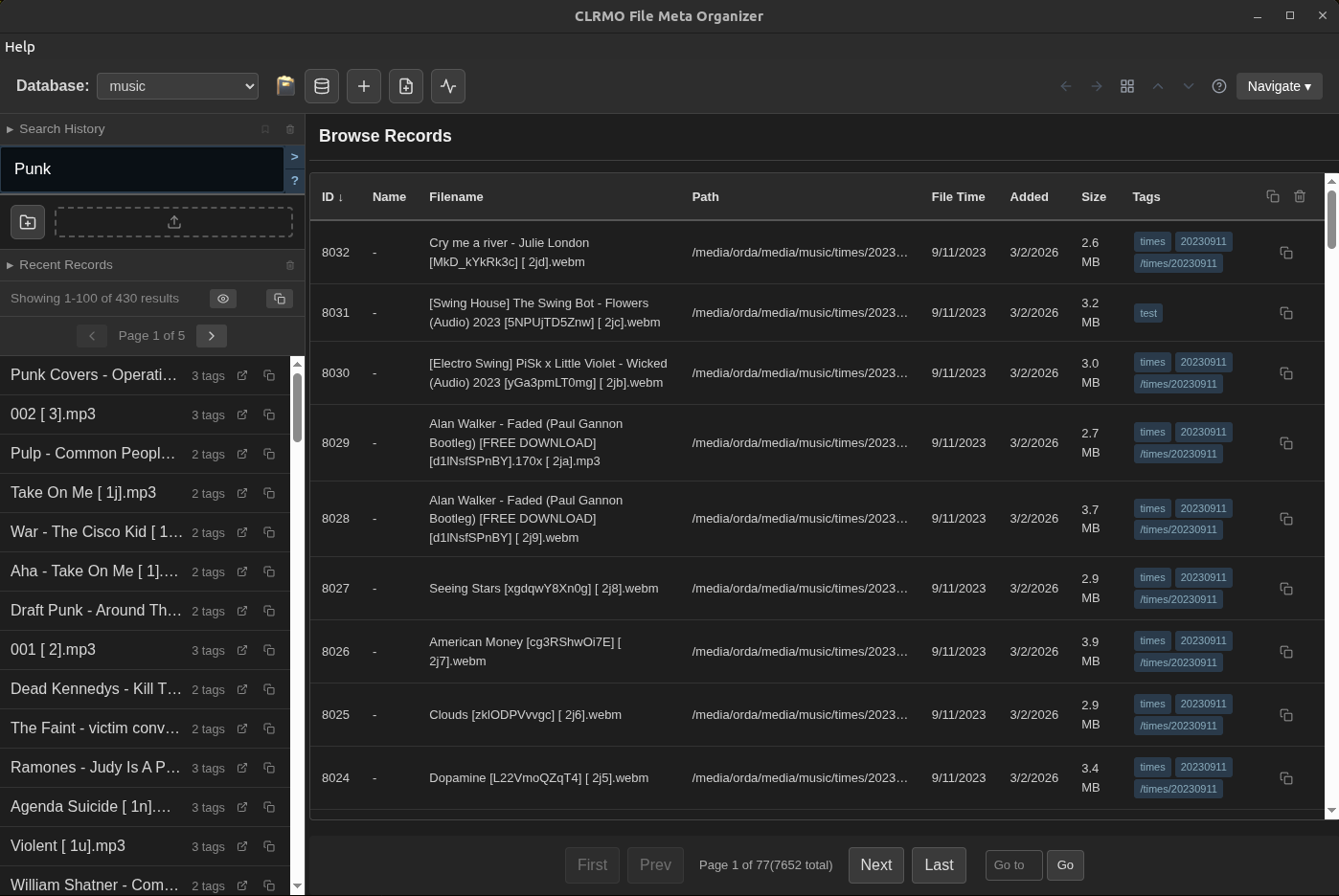
  • Click the play button on any browse row to start playback from that context
  • Play button appears on hover in browse rows and search results
  • Playlist auto-populates from your current view
🖼️

Image Slideshow in Compact Mode

  • Image slideshows now work within compact mode
  • Seamless transition between image and audio/video playback
💾

Player Preferences

  • Play history tab state is now saved
  • Settings persist across sessions
Tag Style Templates

Visual organization for tags

Define reusable visual styles for tags — CSS class, display order, and optional color. Use styles to categorize tags by appearance (e.g., "genre: red", "mood: blue") and control their sort order.

🎨

Tag Styles

  • Define CSS class per style
  • Control display order (ord field)
  • Assign colors via CSS variables
  • System styles for "used" and "path" tags
📋

Bulk Application

  • Apply styles to multiple tags at once
  • Manage styles from Tools → Tag Style Templates
Tag Aliases

Alternate names for your tags

Define aliases for your tags — when you add a tag that matches an alias, it automatically resolves to the canonical tag. Useful for handling misspellings, abbreviations, and alternate naming conventions.

🔄

Alias Resolution

  • Add aliases to any tag from the Stats view
  • Aliases resolve automatically when adding tags to entities
  • Warnings prevent accidental duplicates when an entity already has the canonical tag
⚙️

Bulk Conversion

  • Convert all existing uses of an alias to the canonical tag
  • Use Data Conversion tool or the Tag Aliases table in Stats
  • New tags created during conversion are marked as "used"
📋

Alias Management

  • View all tag aliases in the Stats view
  • Convert or delete aliases with one click
  • New aliases appear immediately in the alias table
Copy Tags & Attributes

Transfer metadata between entities

🏷️

Copy Tags

  • Copy all tags from one entity
  • Paste onto another entity
  • Bulk paste via clipboard panel actions
📝

Copy Attributes

  • Copy selected attributes from one entity
  • Paste onto another — only selected attributes transferred
  • Bulk paste via clipboard panel actions
📋

Clipboard Panel Actions

  • Export clipboard contents as M3U8, TXT, or JSON
  • Bulk copy operations optimized for large selections
Quality of Life

Polish across the board

🔎

Search Improvements

  • Normalize search category tag matching — "Rock" and "rock" are treated the same regardless of format
  • Improved query autocomplete
📎

Clipboard Panel

  • Click the clipboard header (without dragging) to toggle expand/collapse
  • Improved button visibility and styling

Performance

  • Optimized bulk copy operations to clipboard
  • Faster copy-all for search results and browse
Download v1.2 See What's Coming Next