Release Notes

What's New in v1.1

A major release focused on workflow speed — template-based renaming, a built-in media player, duplicate detection, and a REST API for scripting and external tool integration.

See what's new in v1.2 →

Template Engine

Rename & reorganize files with your own metadata

Define a template once, apply it to thousands of files instantly. Templates use the same tags and attributes you've already stored.

✏️

Name Templates

  • Bulk rename using any attribute: {artist} - {title}.{ext}
  • Built-in variables: {filename}, {basename}, {md5}, {duration}, {resolution}, {year}, {n}
  • Text transforms: {upper:attr}, {lower:attr}, {slug:attr}
  • Conflict resolution with {@attr} prefix for attribute-vs-built-in clashes
  • Unsafe characters automatically sanitized — AC/DCAC-DC
📂

Path Templates

  • Move files into a new directory structure: {artist}/{album}
  • Path types: relative to base, relative to current, absolute, or custom base
  • Preserve existing structure with {parent} and {parents:N}
  • Slug paths for filesystem-safe organization: {slug:genre}/{slug:artist}
📚

Preset Library

  • Built-in name presets: Artist–Title, Show S##E## Title, Title (Year), Date–Name, Numbered–Name
  • Built-in path presets: Artist/Album, Type/Artist, Year/Month, Genre/Artist/Album
  • Save your own templates and reuse across sessions
  • Per-database or system-wide template libraries
🖱️

Interactive Variable Picker

  • Click any variable in the reference panel to insert it at cursor
  • No typing required — point and click to build templates
  • Picker shows both built-in variables and your custom attributes
Inline Media Player

Play audio, video & images without leaving the app

A persistent player bar at the bottom of the window — play a track, keep browsing, and the music keeps going.

▶️

Playlist Playback

  • Play/pause, seek, previous/next track controls
  • Shuffle mode with weighted random — files you play less often come up more
  • Loop mode — repeat single track or image indefinitely
  • Auto-advance through search results, browse pages, or clipboard
  • Start a playlist directly from search or browse results with Alt+P — no need to open a file first
  • Play history — persistent log of what you've played; accessible via the clock button or Alt+H
  • Keyboard shortcuts: Alt+, prev · Alt+. next · Alt+S shuffle · Alt+L loop
🖼️

Image Slideshow

  • Auto-advance images on a configurable timer (default 5 s)
  • Click the image to open fullscreen overlay
  • Mix images with audio/video in one playlist via the "Include images" setting
  • Navigate images with / arrow keys, or j / l
🎛️

Playback Controls

  • Volume slider with mute
  • Playback speed: [ / ] to adjust ±0.1×, \ to reset
  • Speed badge shows current rate — click to reset to 1×
  • Video fullscreen with auto-hiding controls
  • Seek ±5 s with / arrow keys (audio/video)
  • Toggle "navigate to file on track change" — stay on your current page or follow the player
🪟

Compact & App-Max Modes

  • App-maximize (Alt+M) — expand the player to fill the app window; video and images get the full canvas
  • Compact mode (Alt+Z) — hide the app entirely, leaving only a slim draggable player strip floating on screen
  • In compact or app-max mode: Shift+Delete deletes the current entity; Shift+Ctrl+Delete deletes the file too
Browse & Organization

Faster navigation & more flexible views

📊

Browse Templates & Column Chooser

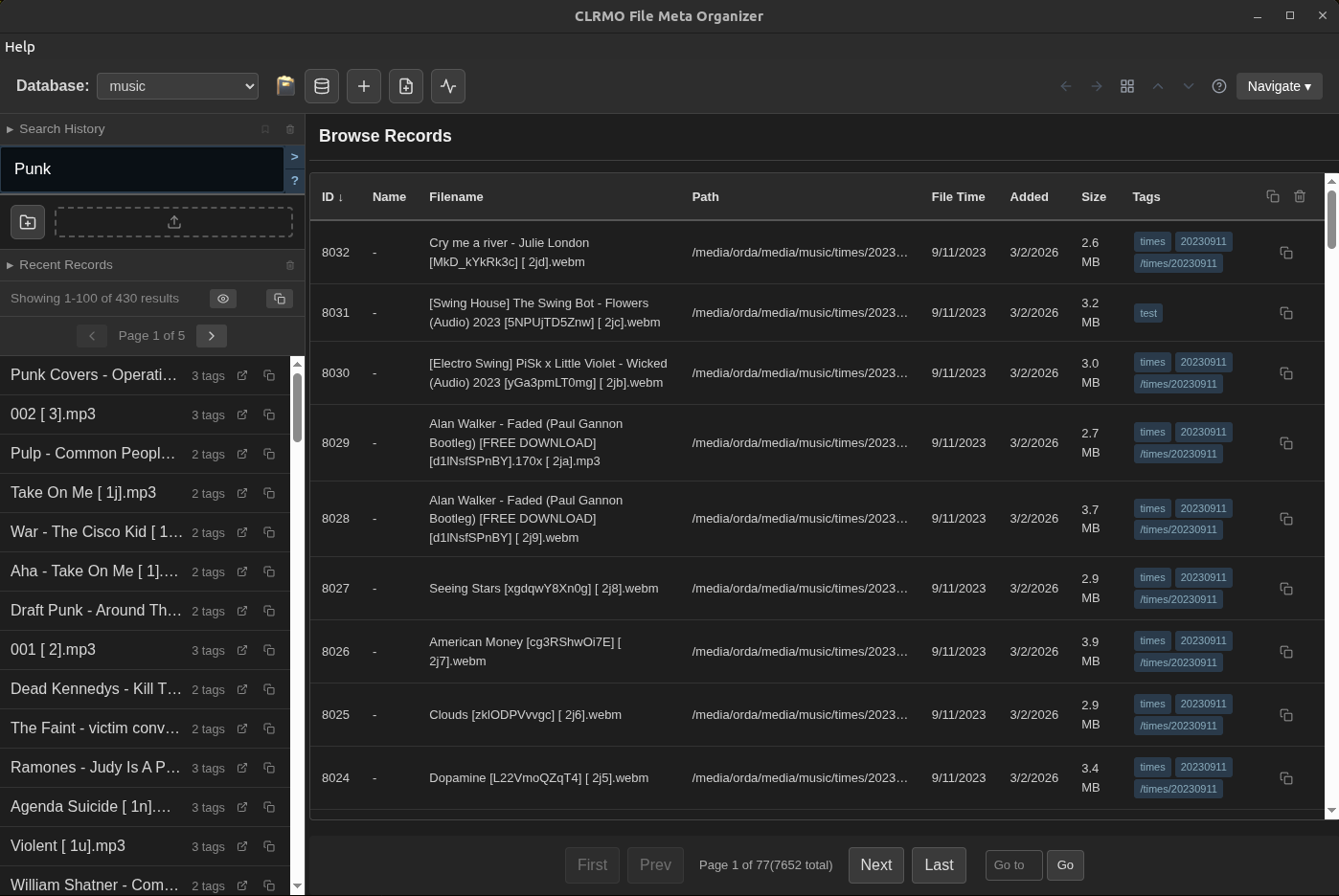
  • Choose exactly which columns appear in the browse table
  • Add any custom attribute as a column
  • Reorder columns
  • Save column layouts as Browse Templates — switch between a music view and a video view instantly
⌨️

Cross-Page Keyboard Navigation

  • Arrow keys navigate across page boundaries in browse and search
  • Down at the last row loads the next page and selects the first row
  • Up at the top row goes back to the previous page
  • No need to click pagination controls when browsing sequentially

Favorites

  • Star any file to add it to your Favorites collection
  • Dedicated Favorites view from the Tools menu
  • Reorder favorites manually (drag up/down)
  • Copy favorites to clipboard individually or in bulk
🗑️

Delete from Browse

  • Remove entities directly from the browse table
  • Optionally delete the physical file at the same time
  • No need to open the entity detail page
Entity Editor

Faster metadata editing

🏷️

Tag Edit Mode

  • View mode shows tags as clean comma-separated links
  • Switch to edit mode to add or remove tags with the full tag editor
  • Cleaner layout — less visual clutter when you just want to see what's there
🔎

Attribute Quick Search

  • Click the search icon next to any attribute value to instantly filter by it
  • One click to find everything with the same genre, rating, director, or any other field
📐

Reorganized Layout

  • Tag editor moved to the top — prominent position for tag-centric workflows
  • File metadata (filename, timestamps, MD5) collapsed into a bottom section
  • Open containing folder: launches the system file manager at the file's location
Duplicate Detection

Find and merge duplicate files

🔁

Duplicate Finder

  • Groups files with identical MD5 hashes
  • Browse detected duplicate groups with full file details
  • Smart merge: combines non-conflicting metadata from both records
  • Optionally delete the physical file when removing a duplicate
🎞️

Animated GIF Generation

  • Generate an animated GIF preview from any video file
  • Accessible from the entity editor and data conversion tools
  • Useful for quick visual summaries of video content
REST API

Script and automate from any tool

A local HTTP server that lets external scripts, analysis tools, and integrations read and write your database over a standard REST interface — no plugins required.

🔌

Standard Endpoints

  • GET /entities — search or browse all
  • GET /entities/:id — full details with tags & attributes
  • POST /entities — create a new record
  • PATCH /entities/:id — update fields
  • GET /entities/by-path — look up by file path
  • GET /status — server status & active database

Bulk Operations

  • POST /entities/:id/tags — add tags to one entity
  • POST /entities/bulk/tags — add tags to many entities
  • PATCH /entities/bulk/attributes — merge attributes onto many entities
  • POST /entities/bulk/update — per-entity tags + attributes in one call
  • Tags are added (not replaced); attributes are merged
📖

Interactive Docs & Query Syntax

  • Full OpenAPI 3 spec at /openapi.json
  • Interactive Swagger UI at /docs — try calls live while the server runs
  • ?query= parameter accepts the same syntax as the app search bar
  • Tag search, attribute filters, filetype filters, and boolean logic all work
  • Default address: http://127.0.0.1:3283
Miscellaneous Improvements

Polish across the board

🔖

Saved Searches

  • Reorder saved searches by dragging
  • Improved management view with cleaner UX
⌨️

Keyboard Shortcuts

  • p — play current entity; Alt+P — play/pause or start playlist from list
  • Alt+, / Alt+. — previous / next track
  • Alt+S / Alt+I — toggle shuffle / loop
  • Alt+M — app-maximize; Alt+Z — compact mode
  • Alt+H — open play history
  • [ / ] — slow down / speed up; \ — reset speed
  • Full reference: Tools → Shortcuts
🗃️

Attribute Templates

  • Save attribute sets as templates for rapid application across files
  • Template manager in the tools panel
Download v1.1 See What's Coming Next